
How to connect profiles on LinkedIn through QR code
The LinkedIn mobile app has added a QR Code to the profile page which allows you to extract contact information from other LinkedIn users and to connect easily. This LinkedIn tutorial for business will teach you how to use this new QR code feature to connect with people you meet in real life. When you meet someone on the run, at industry events and want to connect, just open the LinkedIn app and scan their LinkedIn QR Code. This is a great feature but only available on the mobile app. Learn how to do this here:
How to use the LinkedIn QR code function.
a. Go to your LinkedIn app homepage. In the Home tab’s search bar, you will see your own QR code.
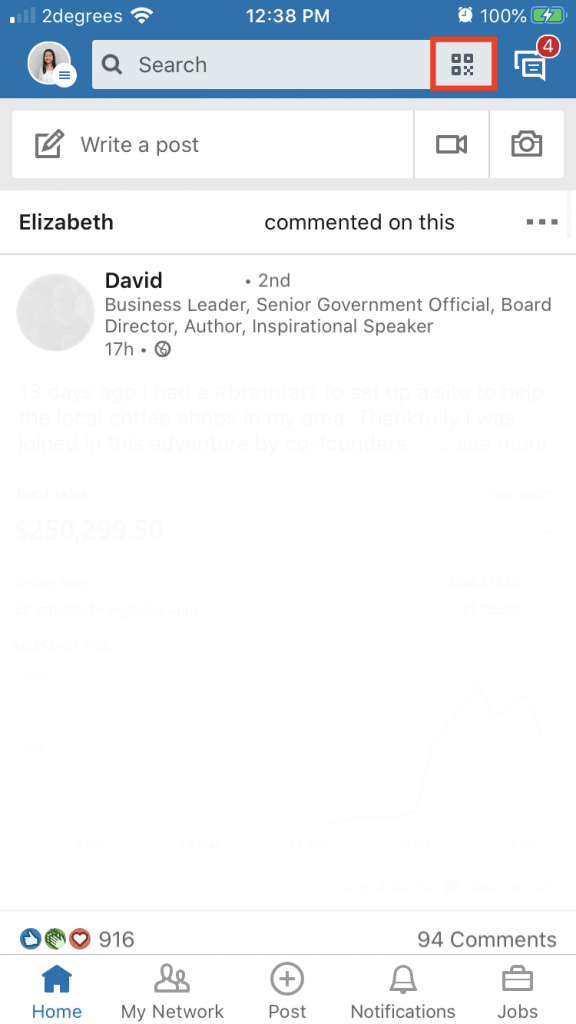
b. Tap on the QR code and you’ll see a QR scanner as well as your own code.
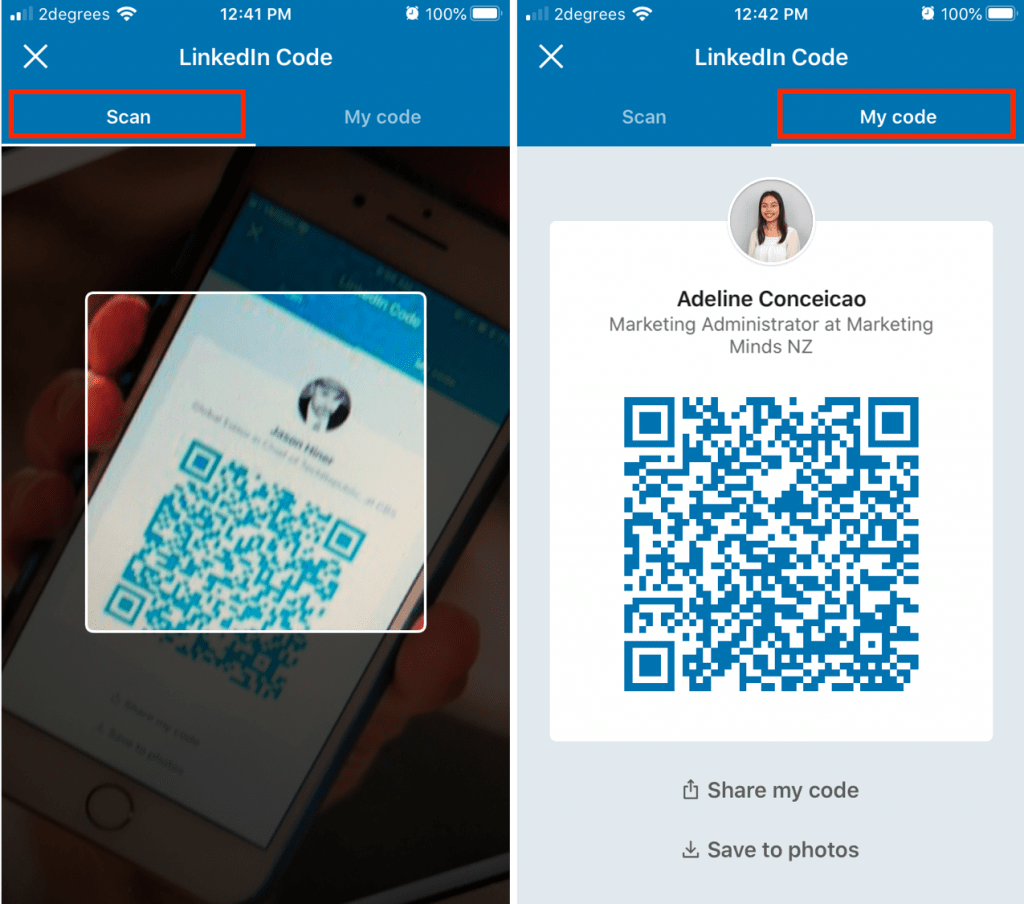
c. Scan your new contact’s QR code. This will take you to their profile.
If you’re interested in more LinkedIn Training for Business, here are the training courses available:
Note: Your company may also qualify for government subsidy with these workshops.
Email us or call 09 634 4390 for more information or if you are unsure which course is right for you.
Enjoyed this LinkedIn tutorial for business and want more? Sign up now to our marketing snippets.